
Blog · Archive
ServiceTitan vs Jobber vs Housecall Pro: Call Center Integration Cheat Sheet
Compare ServiceTitan vs Jobber vs Housecall Pro for call center integration to streamline bookings, boost CSR performance, and scale your home service operations.

Why Call Center Integration Makes or Breaks Your FSM Platform Choice
When comparing servicetitan vs jobber vs housecall pro for call center integration, the right answer depends on your business size, call volume, and how tightly you need your phones, scheduling, and CRM to work together.
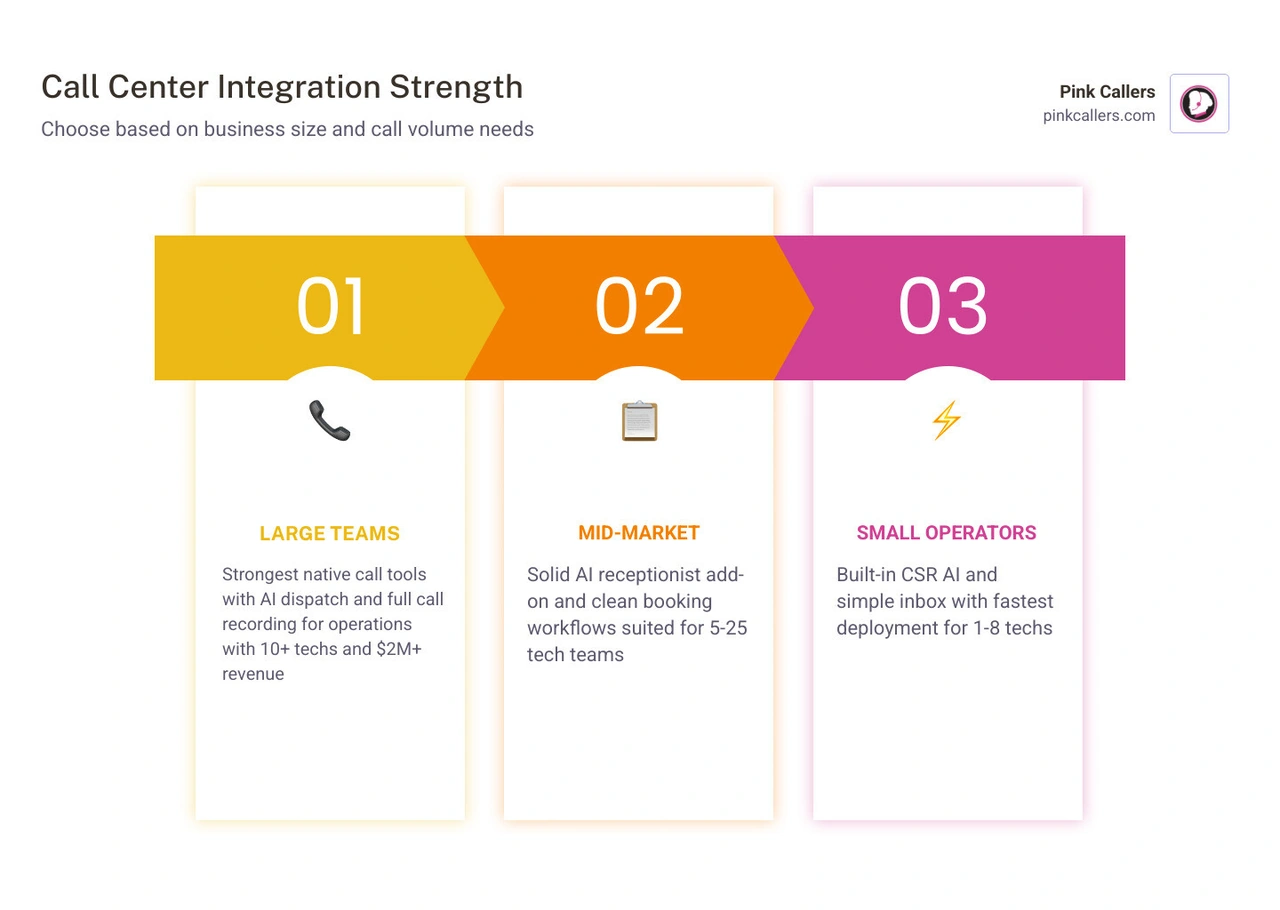
Here's a quick breakdown before we dive in:
| Platform | Best For | Call Center Integration Strength |
|---|---|---|
| ServiceTitan | 10+ techs, $2M+ revenue | Strongest native call tools, call recording, AI dispatch |
| Jobber | 5-25 techs, mid-market | Solid AI receptionist add-on, clean booking workflows |
| Housecall Pro | 1-8 techs, fast setup | Built-in CSR AI, simple inbox, fastest to deploy |
Every missed call is a missed job. For HVAC, plumbing, and electrical contractors, the phone is still the primary sales channel — and if your field service management (FSM) platform can't handle calls smoothly, you're leaving revenue on the table.
The challenge is that ServiceTitan, Jobber, and Housecall Pro were all built as scheduling and dispatch tools first. Their call center features vary widely in depth, native capability, and what you have to bolt on to make them actually work for a busy CSR team or an after-hours answering setup.
Choosing the wrong platform — or the right platform without the right call handling support — means dropped leads, slow booking, and a communication inbox that creates more chaos than it solves.
This cheat sheet cuts through the noise and compares all three platforms specifically on call center integration, so you can make a clear, informed decision for your operation.
Comparing ServiceTitan vs Jobber vs Housecall Pro for Call Center Integration
Choosing the right platform to manage your field operations is only half the battle. The true test of operational efficiency is how well these FSM platforms handle your incoming customer communication. When analyzing servicetitan vs jobber vs housecall pro for call center integration, we must look at how each platform transforms raw phone calls into scheduled, revenue-generating jobs.
For home service businesses operating across major hubs like San Diego, Fort Worth, Nashville, Charlotte, and Jacksonville, streamlined call flow is the difference between scaling up or stalling out. Integrating your phones directly with your CRM minimizes double-entry and prevents customer details from falling through the cracks. If you are struggling with a disconnected workflow, selecting a system built for seamless virtual call handling is critical. For more on this, check out our guide on Choosing the Right CRM for Virtual Call Handling.
Call Booking Workflows and AI-Assisted Answering
The call booking workflow is where your office staff or virtual CSRs spend the majority of their day.
- ServiceTitan: This platform is the undisputed heavyweight for native call booking workflows. When an inbound call arrives, a pop-up card immediately appears on the dispatcher’s screen displaying the customer's name, complete service history, active memberships, and outstanding estimates. If it is a new lead, the CSR can book the job in a few clicks. Furthermore, ServiceTitan has introduced advanced AI features like their SMS booking agents and automated call transcriptions. Learn more about optimizing this setup in our article on the ServiceTitan Virtual Receptionist.
- Jobber: Jobber simplifies the booking process with an exceptionally clean user interface. While it lacks the deep, native enterprise phone system of ServiceTitan, its AI Receptionist add-on acts as a smart assistant that monitors incoming communication, checks calendar availability, and assists in booking jobs directly. This makes it highly intuitive for mid-market operations that want automated support without enterprise-level complexity.
- Housecall Pro: Housecall Pro utilizes built-in CSR AI designed to auto-book jobs and extract key details from inbound calls. For smaller businesses, this means less time typing and more time focus on the customer. It is designed to get your office operational in days rather than weeks, making it highly efficient for fast-growing shops.
Communication Inbox Strengths and Gaps
A centralized communication inbox is vital for keeping track of leads, clients, tenants, and technicians.
- ServiceTitan: Offers a highly robust multi-channel inbox. It handles two-way SMS, email, and web leads seamlessly. It allows CSRs to tag conversations, assign them to specific dispatchers, and track the exact marketing campaign that generated the interaction. However, because it is built for large, complex operations, managing the inbox can require dedicated training to prevent notifications from piling up.
- Jobber: Jobber's inbox excels at basic, clean client communication. It provides straightforward two-way texting, allowing you to send on-the-way alerts and invoice links. The limitation lies in complex multi-party tracking; if you need to coordinate extensively between property managers, tenants, and subcontractors on a single thread, Jobber’s inbox can feel a bit restrictive.
- Housecall Pro: Housecall Pro provides a highly polished, unified inbox that keeps customer histories front and center. It makes lead follow-up simple and intuitive, though it may lack some of the advanced automated routing rules found in ServiceTitan. To maximize your booking rates regardless of the platform you choose, refer to our comprehensive Contractor Lead Follow-up Guide.
Core Communication Features: Calling, Recording, and SMS

To run a highly professional front office, contractors need robust calling, call recording, and SMS tools. These features ensure quality control, protect your business from liability, and help train your customer service representatives.
Native Capabilities of ServiceTitan vs Jobber vs Housecall Pro for Call Center Integration
- ServiceTitan: ServiceTitan Phones Pro is a fully integrated, cloud-based VoIP system built directly into the FSM software. It offers native call recording, real-time call tracking, outbound click-to-dial, and automated voicemail drops. Because the phone system is native, every recorded call is permanently attached to the customer’s profile, making it incredibly easy to review what was promised on a job. You can dive deeper into these enterprise tools in our overview of the ServiceTitan Call Center.
- Jobber: Jobber does not feature a fully native, enterprise-grade cloud VoIP phone system built directly into its core interface. Instead, it relies on third-party VoIP integrations or its AI Receptionist add-on to handle call routing and basic tracking. While call recording is available through these integrations, it is not as deeply embedded as ServiceTitan's native phone suite.
- Housecall Pro: Housecall Pro offers "Voice," an integrated phone system add-on that provides call tracking, recording, and basic inbound call pop-ups. It is highly functional for small-to-medium teams, allowing you to track which marketing numbers are ringing. However, it lacks some of the deep, multi-line routing and advanced call center queuing features that enterprise operations require.
Mobile App and Dispatch Synchronization
For technicians in the field, real-time synchronization with the office is crucial. When a dispatcher books an emergency plumbing or HVAC call in the office, that information must instantly sync to the field.
- ServiceTitan: The synchronization between the dispatch board and the mobile app is incredibly powerful. ServiceTitan users report a 22% reduction in drive time after implementing its AI-powered dispatching, which optimizes routes based on technician skill set, location, and real-time traffic. The mobile app is highly detailed, though it has a steeper learning curve for field staff. Read more about its field capabilities in our article on ServiceTitan for Home Service Businesses.
- Jobber: Jobber’s mobile app is widely praised for its simplicity and reliability. When a job is booked or updated by your call center, the technician receives an instant push notification. It features a drag-and-drop schedule that is exceptionally easy to manage on the fly, making it perfect for teams that prioritize quick adoption over complex routing algorithms.
- Housecall Pro: Housecall Pro boasts one of the most polished and user-friendly mobile apps on the market for technicians. It synchronizes instantly with the dispatch office, providing real-time GPS tracking so customers receive precise "on-the-way" text notifications with the technician's location.
Scalability and Reporting for Growing Contractor Teams
As your contracting business expands across markets like Middleburg, Virginia, Charlotte, or Fort Worth, you cannot afford to manage your team using spreadsheets and disconnected apps. Scalability requires deep reporting and analytics to track your return on investment (ROI). Effective CRM management is the foundation of this growth. For a complete look at how to structure your database for scale, read our guide on CRM Management for Contractors.
Analytics, CSR Performance, and Marketing ROI
- ServiceTitan: Unmatched in its reporting depth. It tracks CSR conversion rates (how many incoming calls turned into booked jobs), outbound call performance, and matches call data directly to specific marketing campaigns. This allows owners to see exactly which phone numbers and ad campaigns generate the highest-paying jobs. Furthermore, ServiceTitan implementations show an average 34% increase in repeat business within six months by utilizing its integrated CRM and marketing tools.
- Jobber: Jobber provides clean, straightforward dashboards showing job wins, quote conversions, and overall team productivity. While it tracks where your leads come from, it lacks the granular, second-by-second call tracking and CSR performance metrics that ServiceTitan offers natively.
- Housecall Pro: Housecall Pro offers solid reporting on sales performance, technician revenue, and campaign tracking. It allows you to see which marketing sources are driving calls, though its phone-specific analytics are less detailed than ServiceTitan's enterprise-grade dashboards.
How to Choose Between ServiceTitan vs Jobber vs Housecall Pro for Call Center Integration
Your choice should align with your business's current stage and operational goals:
- Solo Operators and Small Teams (1-8 Techs): Housecall Pro is highly recommended if you want to be operational in days, not weeks. It is incredibly easy to set up and provides all the essential communication tools a small team needs to stay organized. Learn more about how it fits smaller businesses in our guide on Housecall Pro for Home Service Businesses.
- Mid-Market Operations (5-25 Techs): Jobber is the best overall solution for mid-market shops prioritizing ease of use, rapid team adoption, and solid scheduling without enterprise-level overhead. It scales beautifully without forcing your team into overly complex workflows. Explore its benefits further in our review of Jobber for Home Service Businesses.
- Enterprise Operations (10+ Techs, $2M+ Revenue): ServiceTitan is the gold standard for large operations running structured sales processes with dedicated dispatch and CSR staff. While it requires a significant implementation period (typically 4 to 6 weeks), its native phone integration, deep reporting, and AI tools are unmatched for scaling large fleets.
Frequently Asked Questions About Call Center Integrations
Which platform has the best native call recording?
ServiceTitan offers the strongest native call recording through its Phones Pro system. Calls are automatically recorded, transcribed, and attached directly to the customer's profile. Housecall Pro offers reliable call recording through its "Voice" add-on, while Jobber typically relies on third-party VoIP integrations to achieve similar recording depth.
Can I use a third-party answering service with these CRMs?
Yes. However, the ease of integration varies. Because ServiceTitan is highly complex, utilizing a service with specialized certification is essential to ensure that external CSRs can navigate your live dispatch board without creating scheduling conflicts. Jobber and Housecall Pro are highly accessible, allowing professional virtual receptionists to log in and book jobs directly into your calendar with minimal setup.
How does AI call answering work in these systems?
In modern FSMs, AI call answering assists by transcribing calls in real-time, suggesting customer profiles based on caller ID, and highlighting key details (like the service requested or address). Jobber's AI Receptionist and Housecall Pro's CSR AI help automate the data-entry process, while ServiceTitan uses AI to predict job values and optimize dispatch routing to maximize revenue per technician.
Conclusion
Maximizing your call center integration is the fastest way to improve your booking rates, elevate customer satisfaction, and scale your contracting business. Whether you choose the enterprise depth of ServiceTitan, the balanced simplicity of Jobber, or the rapid deployment of Housecall Pro, your phone operations must run flawlessly.
At Pink Callers, we bridge the gap between your phones and your FSM. Our unique Human + AI Hybrid model combines our advanced voice AI assistant ("pAIge") with highly trained, U.S.-based, ServiceTitan-certified virtual CSRs. Operating 24/7/365, we handle your inbound calls, web leads, and scheduling directly inside your CRM—ensuring you never miss a job, day or night.
Ready to streamline your customer service and scale your operations? Discover how we connect with your favorite tools by visiting Pink Callers Software Integrations.
Keep reading
More from the blog
How We Handle Multi-Trade Dispatching for HVAC and Plumbing Combos
Misrouting an ambiguous 'no hot water' call wastes highly skilled technicians' time. We break down the exact intake triage rules that successfully separate plumbing from HVAC tickets.
Read → September 14, 2026Outsourced Customer Service vs Hiring a Local Temp Agency
Losing a dispatcher right before the fall heating rush can overwhelm any contractor. Compare the operational impact of a specialized call center versus a local temp worker to protect your revenue.
Read → September 11, 2026Transitioning Phone Scripts for Northeast Fall Boiler Prep
The first freeze brings a sudden wave of urgent no-heat calls that can easily overwhelm untrained CSRs. Prepare your dispatch board by strategically updating your front-office triage process.
Read →