Blog · Archive
How to Keep Your CRM Squeaky Clean and Organized
Learn how to keep your CRM clean and organized: step-by-step cleanup, prevention strategies & AI best practices for home service pros.

Why a Dirty CRM Is Quietly Costing Your Home Service Business
Knowing how to keep your CRM clean and organized is one of the most high-leverage skills a home service business owner can develop — and most skip it entirely until the damage is already done.
Here's a quick answer if you need it fast:
How to Keep Your CRM Clean and Organized (Quick Summary)
- Standardize data entry — use dropdown menus, required fields, and naming conventions to prevent messy input from the start
- Deduplicate regularly — merge or remove duplicate records using built-in CRM tools or third-party apps
- Archive inactive contacts — move contacts with no engagement for 12+ months to an archive instead of deleting them
- Schedule audits — run a quick review monthly and a thorough cleanup quarterly
- Assign ownership — designate a data steward responsible for CRM accuracy
- Automate where possible — use validation rules, automated workflows, and AI tools to reduce manual entry errors
- Check compliance — verify opt-in tags and consent records meet GDPR and CAN-SPAM requirements
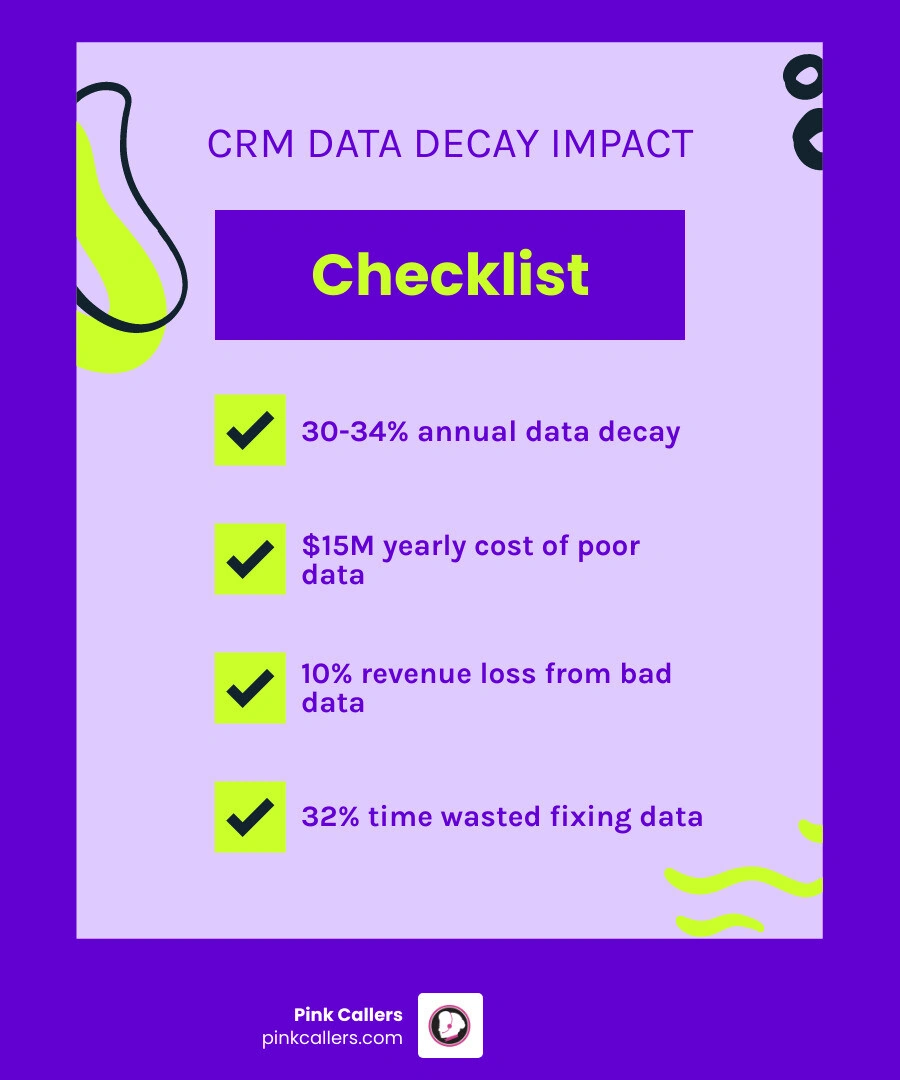
Now, here's the uncomfortable truth: contact data decays at roughly 30-34% every year. That means if you loaded 1,000 contacts into your CRM today, nearly a third of them could be outdated by this time next year — wrong phone numbers, old email addresses, contacts who've changed jobs or companies.
For HVAC, plumbing, and electrical contractors, that's not just an annoyance. It means missed follow-ups, botched scheduling, and leads that fall through the cracks during your busiest seasons. Poor data quality costs businesses an average of $15 million per year, and nearly half of all companies estimate they lose more than 10% of annual revenue because of bad data.
Your CRM is only as powerful as the data inside it. If that data is a mess, the whole system works against you instead of for you.
Why CRM Data Hygiene is Essential for Business Success
In the home service industry, we often talk about "hygiene" in terms of clean ducts or clear pipes. But "data hygiene"—the ongoing practice of keeping your customer records accurate, complete, and consistent—is just as vital for the health of your business. As of May 2026, the stakes have never been higher.
Poor data quality isn't just a minor technical glitch; it is a financial drain. Research shows that poor data costs organizations an average of $15 million per year. For a local contractor in Fort Worth or Charlotte, this manifests as wasted marketing spend on "ghost leads" and sales teams spending up to 32% of their time fixing data issues instead of closing deals.
The benefits of maintaining a clean system are equally staggering. Companies that use data effectively are 23 times more likely to attract and retain customers. Yet, shockingly, only 3% of businesses actually meet basic data quality standards. When your CRM is organized, your CRM Management Services become a competitive advantage rather than a source of frustration.
The Impact of Clean vs. Dirty Data
| Business Function | Impact of Clean Data | Impact of "Dirty" Data |
|---|---|---|
| Sales Forecasting | Accurate revenue predictions and pipeline visibility. | Inflated "ghost" deals that never close. |
| Marketing | High email deliverability and personalized offers. | High bounce rates and spam complaints. |
| Customer Service | Faster response times and personalized care. | Confusing customer history and missed appointments. |
| Team Productivity | Seamless handoffs between dispatch and techs. | 12 hours a week lost chasing information. |
Common Causes of Dirty Data and Prevention Strategies
Why does a CRM get messy in the first place? It’s rarely a "software" problem; it’s usually a "human" problem. One of the biggest culprits is manual entry pressure. When a dispatcher is juggling three calls at once, they might take shortcuts. In fact, 76% of organizations report that less than half of their CRM entries are complete and accurate. Even more concerning, 37% of staff admit to making up answers in CRM entries just to satisfy management narratives or hit "required field" quotas.
Data silos also play a major role. If your lead intake happens in one tool, your scheduling in another, and your billing in a third, information gets lost in the gaps. These silos cause employees to lose an average of 12 hours a week simply chasing down information that should be at their fingertips.
To prevent this, you need CRM Management for Contractors that prioritizes "upstream" prevention. This means stopping bad data before it hits your system.
- Validation Rules: Set rules that prevent a record from being saved if the phone number is missing digits or the email format is invalid.
- Required Fields: Only make the truly essential fields mandatory. If you ask for too much at once, busy employees will start entering "N/A" or gibberish just to close the screen.
- Standardized Formats: Ensure everyone enters phone numbers and addresses the same way (e.g., "St." vs "Street").
How to Keep Your CRM Clean and Organized: A Step-by-Step Cleanup Process
If your CRM currently looks like a digital junk drawer, don't panic. You can't fix it all in one day, but you can follow a structured process to reclaim your data.
- Perform a Baseline Audit: Identify the "pain points." How many duplicates do you have? How many records are missing phone numbers?
- Deduplicate and Merge: Use your CRM’s built-in tools to find duplicate records. Always merge rather than delete; merging preserves the interaction history from both records, ensuring you don't lose valuable notes.
- Archive Inactive Contacts: We recommend a 12-month threshold. If a customer hasn't engaged with you or booked a service in over a year, move them to an "Inactive" or "Archive" list. This keeps your active database fresh while maintaining historical data for future re-engagement campaigns.
- Verify and Validate: Use third-party tools to verify email addresses and phone numbers. This is crucial for maintaining your sender reputation and ensuring your technicians can actually reach the customer.
- Check for Compliance: Ensure you have documented consent for every contact to comply with GDPR and CAN-SPAM regulations. If you can't prove they opted in, they shouldn't be in your active marketing list.
For many home service pros, this process is overwhelming. That’s where specialized CRM Cleanup Services can step in to do the heavy lifting, allowing you to focus on the jobs in the field.
Standardizing Data Entry: How to Keep Your CRM Clean and Organized
Consistency is the secret sauce of an organized CRM. If one person enters "CEO" and another enters "Chief Executive," your reporting will be fractured.
To maximize your business with CRM, you must move away from free-text fields. Use dropdown menus and picklists whenever possible. For example, instead of letting a user type in a "Lead Source," provide a list: "Google Local Services," "Referral," "Yard Sign," etc. This "field value normalization" ensures that when you run a report at the end of the month, the data is actually meaningful.
Establishing an Audit Schedule: How to Keep Your CRM Clean and Organized
Data hygiene isn't a "one-and-done" project; it’s a habit. Think of it like maintenance on a service truck—if you skip it, things eventually break down.
We recommend the following cadence for Customer Relationship Management:
- Weekly: Run automated reports to flag records with missing essential fields.
- Monthly: Perform a "stale deal" review. If a lead has been sitting in the same stage for twice the length of your average sales cycle, move it to "Lost" or "Archived."
- Quarterly: Conduct a deep dive. Merge duplicates, update user permissions for any staff changes, and refresh your email templates.
Assigning a "Data Steward"—a specific person responsible for these audits—ensures accountability. In a home service business, this might be your office manager or a fractional CSR partner.
Best Practices for Data Governance and AI-Driven Maintenance
As we move through 2026, the role of AI in CRM maintenance has become a game-changer. "Agentic AI" acts as a silent scribe, listening to calls and automatically populating the CRM with structured data. This eliminates the "Friday afternoon" scenario where a tired rep enters half-remembered details into the system.
At Pink Callers, we utilize a hybrid model that integrates directly with tools like ServiceTitan. Our AI-enhanced answering services don't just take messages; they ensure that every lead is captured with the correct naming conventions and required fields from the very first touchpoint. This is essential because feeding messy data into an AI algorithm is like putting mud in a supercar's fuel tank—it won't perform.
By establishing clear data ownership and leveraging mastery of your CRM, you stop the 32% time leak where your team is fixing data instead of closing deals. Clean data allows for "Agentic" workflows—where the system can autonomously identify a customer’s intent and draft the perfect follow-up, keeping your pipeline moving without manual intervention.
Conclusion
Learning how to keep your CRM clean and organized is the foundation of a scalable home service business. It transforms your database from a confusing list of names into a strategic asset that drives revenue and customer loyalty.
By developing a Standard Operating Procedure (SOP) for data entry, utilizing automation, and committing to regular audits, you create a culture of data hygiene. This ensures that your team—whether they are in Nashville, Jacksonville, or Middleburg—is always working with the best possible information.
At Pink Callers, we help HVAC, plumbing, and electrical contractors maintain this gold standard. Our ServiceTitan-certified CSRs and AI technology work as an extension of your team, ensuring that every record is "squeaky clean" from the moment the phone rings. If you're ready to stop the revenue leaks and start maximizing your software, explore our CRM Management Services today.
How often should I clean my CRM data?
For most home service businesses, a "quick-and-clean" monthly review combined with a comprehensive quarterly audit is the gold standard. The monthly review should focus on clearing out stale leads and fixing obvious errors, while the quarterly audit should involve deeper deduplication and archiving. For a more detailed breakdown of maintenance schedules, check out our CRM Management Services Guide.
Should I delete or archive old contacts?
We almost always recommend archiving over deletion. Archiving preserves the historical data—the notes, the previous job history, and the original lead source—without cluttering your active views or distorting your current sales metrics. This is vital for home service businesses that may want to run "re-engagement" campaigns to past customers three or five years down the road.
What is the biggest cause of messy CRM data?
The biggest culprit is inconsistent data entry caused by a lack of ownership and standardized processes. When multiple people enter data using different formats, or when there are no "required fields" to ensure essential info is captured, the system quickly degrades. Optimizing your communication with CRM requires a commitment to a single way of doing things, shared by everyone from the front office to the technicians in the field.
Keep reading
More from the blog
How We Handle Multi-Trade Dispatching for HVAC and Plumbing Combos
Misrouting an ambiguous 'no hot water' call wastes highly skilled technicians' time. We break down the exact intake triage rules that successfully separate plumbing from HVAC tickets.
Read → September 14, 2026Outsourced Customer Service vs Hiring a Local Temp Agency
Losing a dispatcher right before the fall heating rush can overwhelm any contractor. Compare the operational impact of a specialized call center versus a local temp worker to protect your revenue.
Read → September 11, 2026Transitioning Phone Scripts for Northeast Fall Boiler Prep
The first freeze brings a sudden wave of urgent no-heat calls that can easily overwhelm untrained CSRs. Prepare your dispatch board by strategically updating your front-office triage process.
Read →